A visual, card-style news reader with 7 categories, custom RSS feeds,
saved stories, and breaking-news alerts — right in your browser
toolbar.
7
Categories
0
Data Collected
∞
Custom Feeds
MV3
Manifest
Live screenshots from the extension
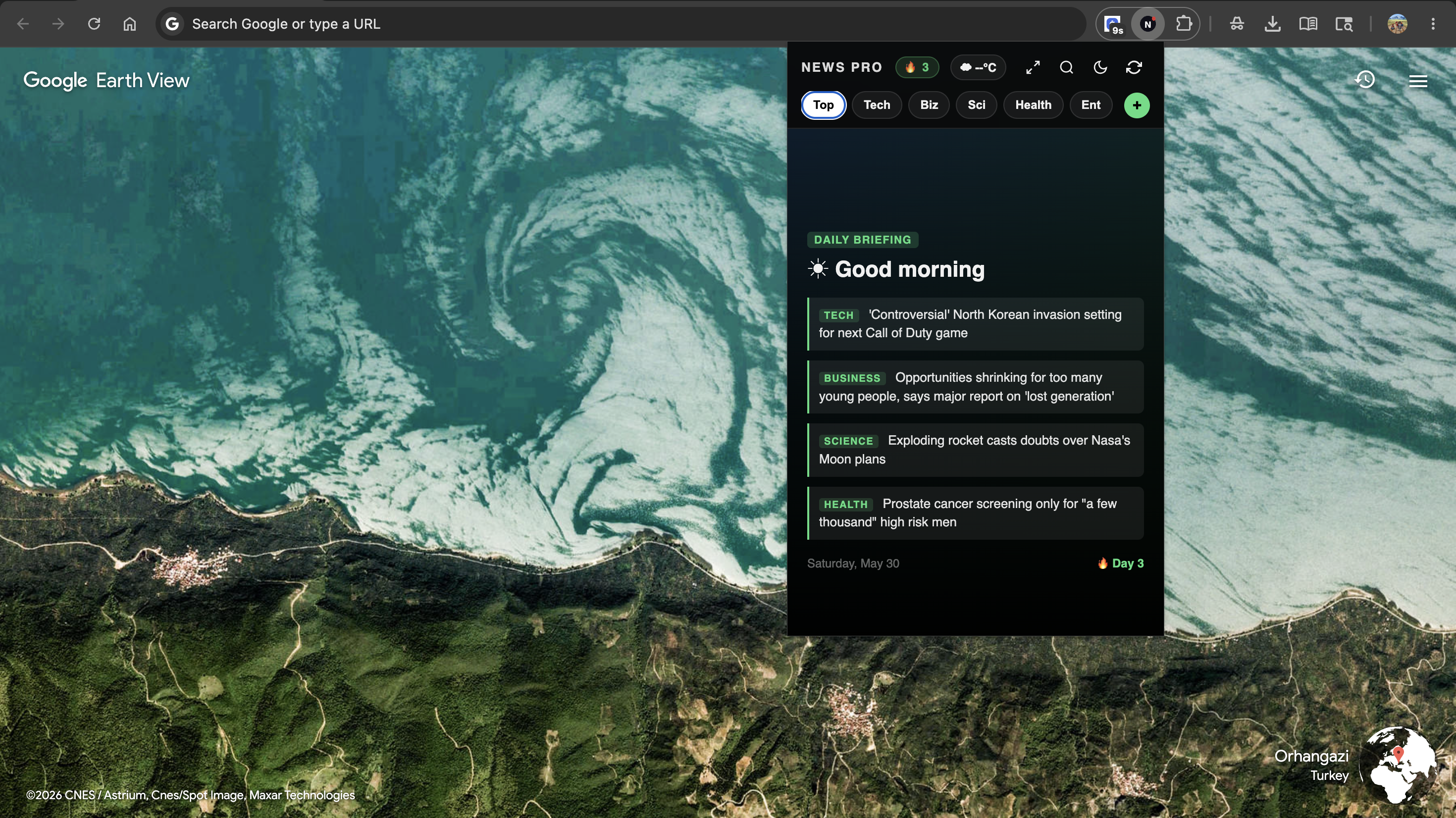
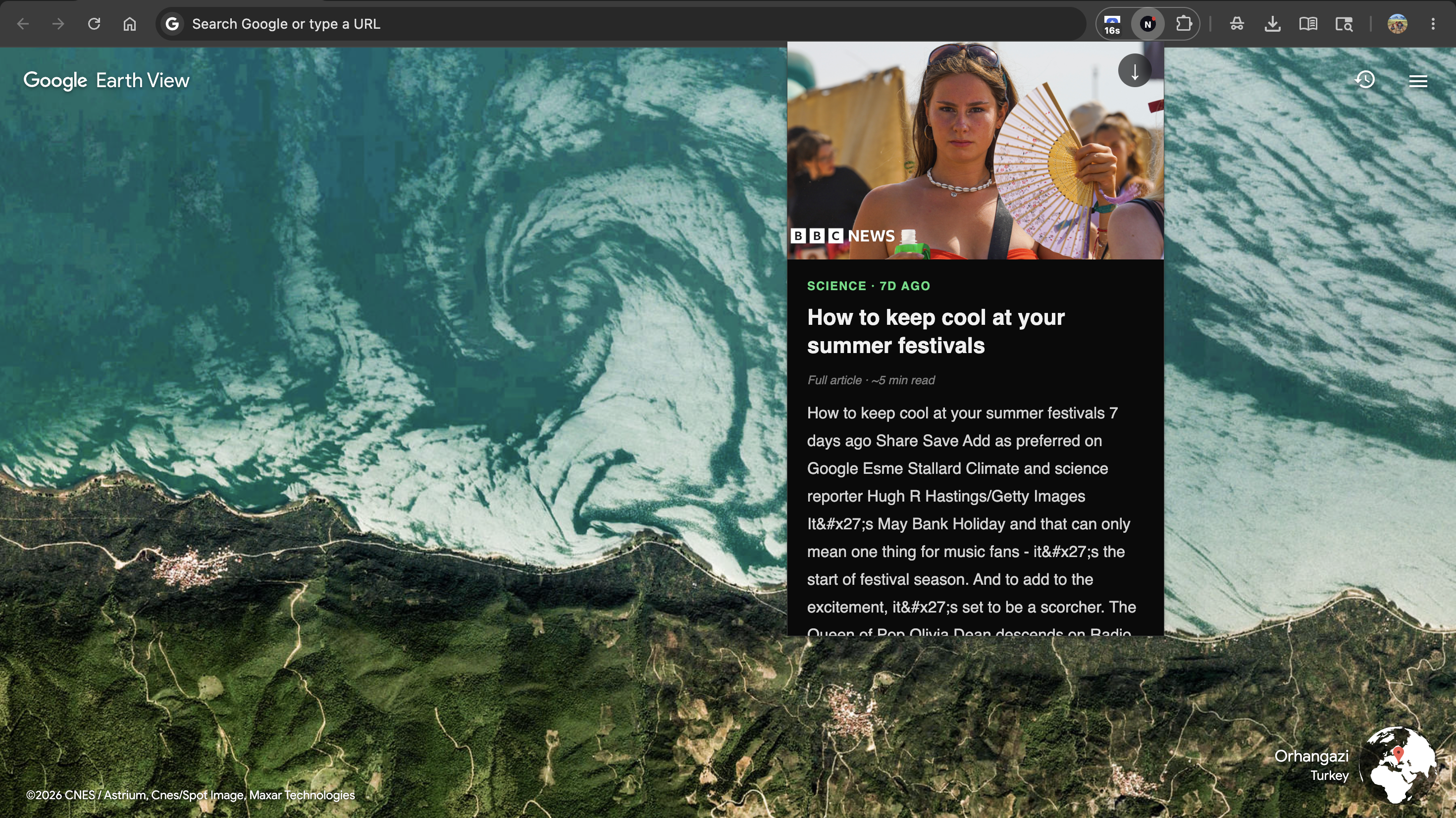
Daily Briefing Card
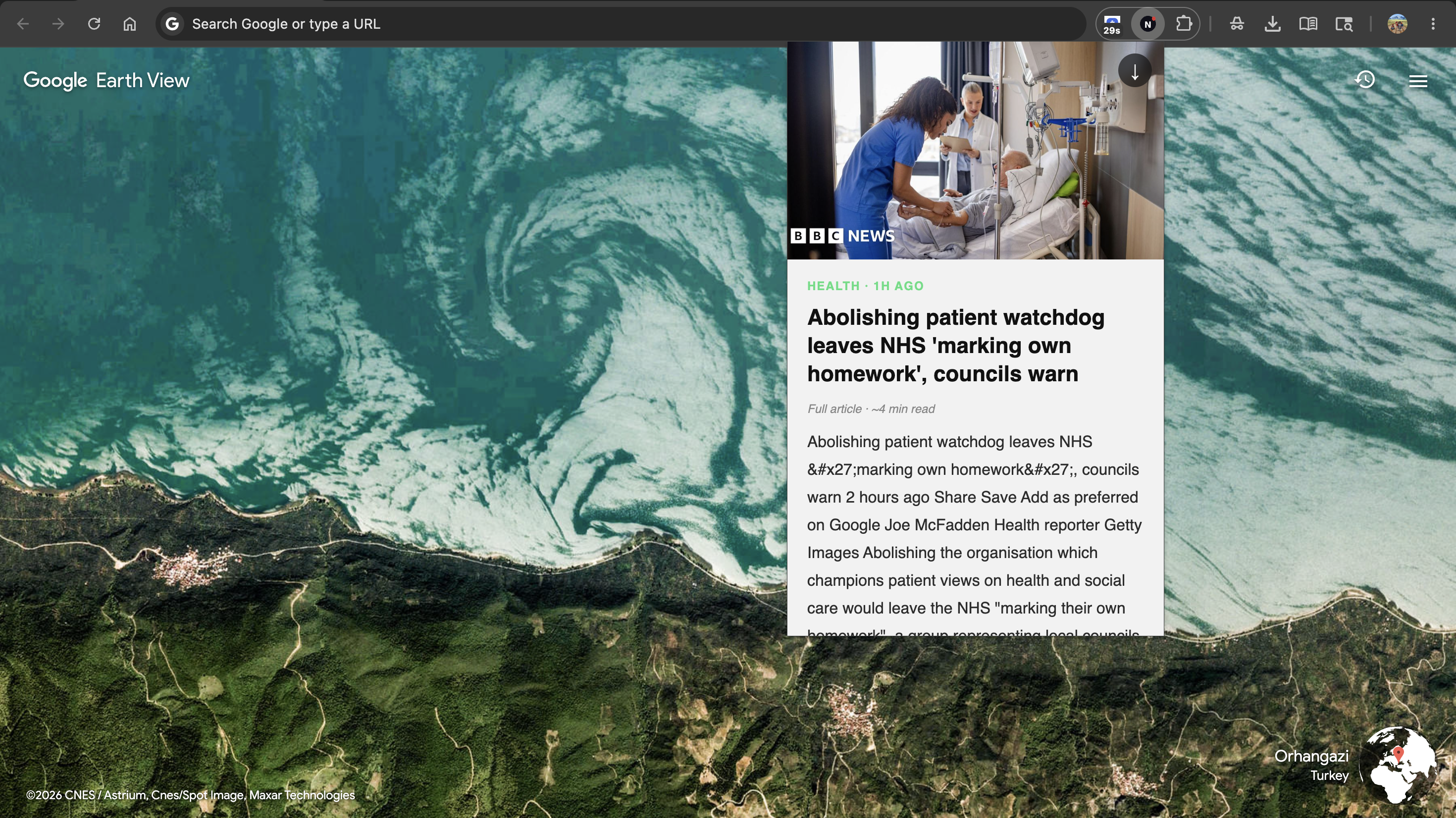
Reader View · Dark
Reader View · Light
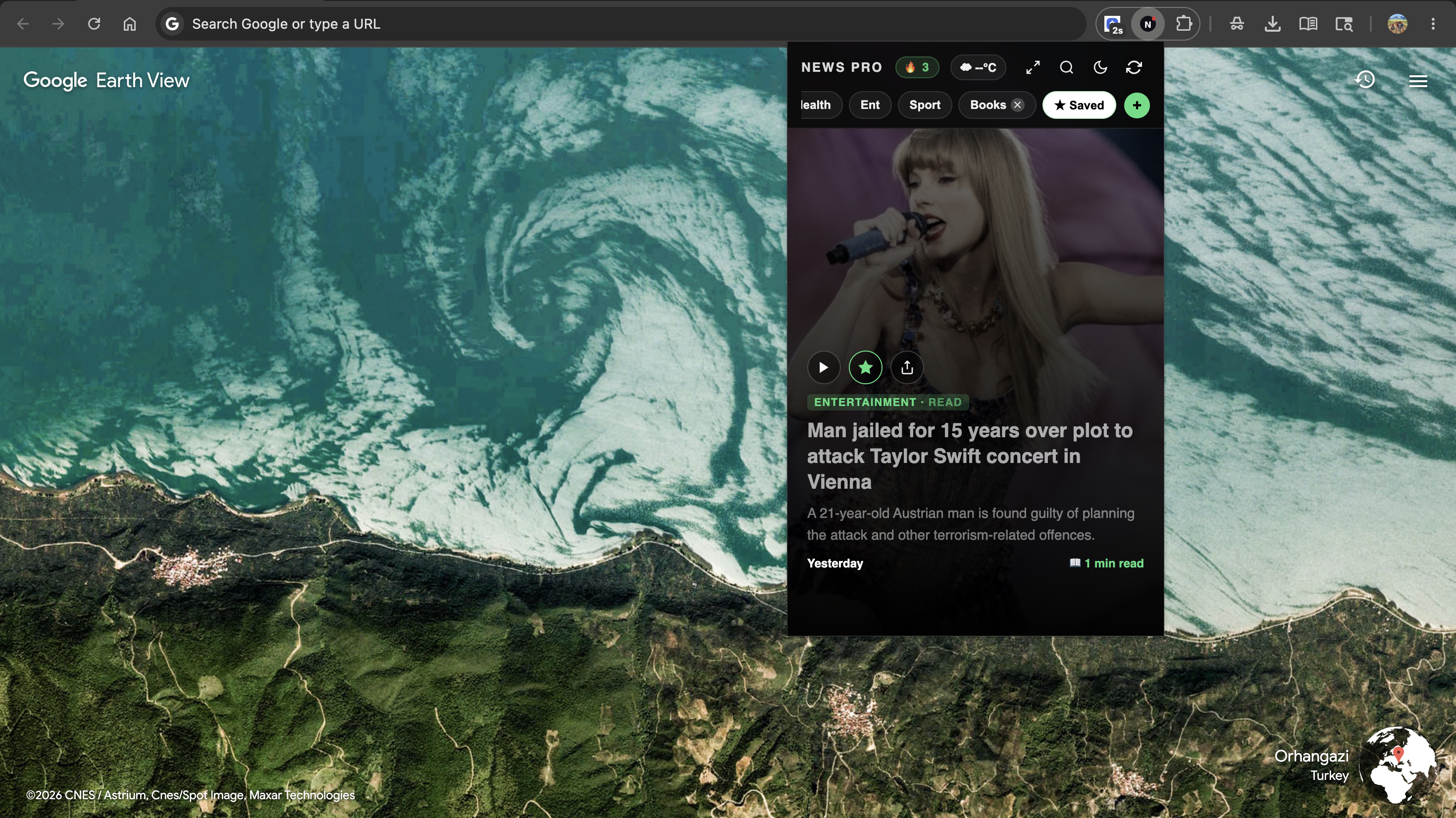
Saved Articles
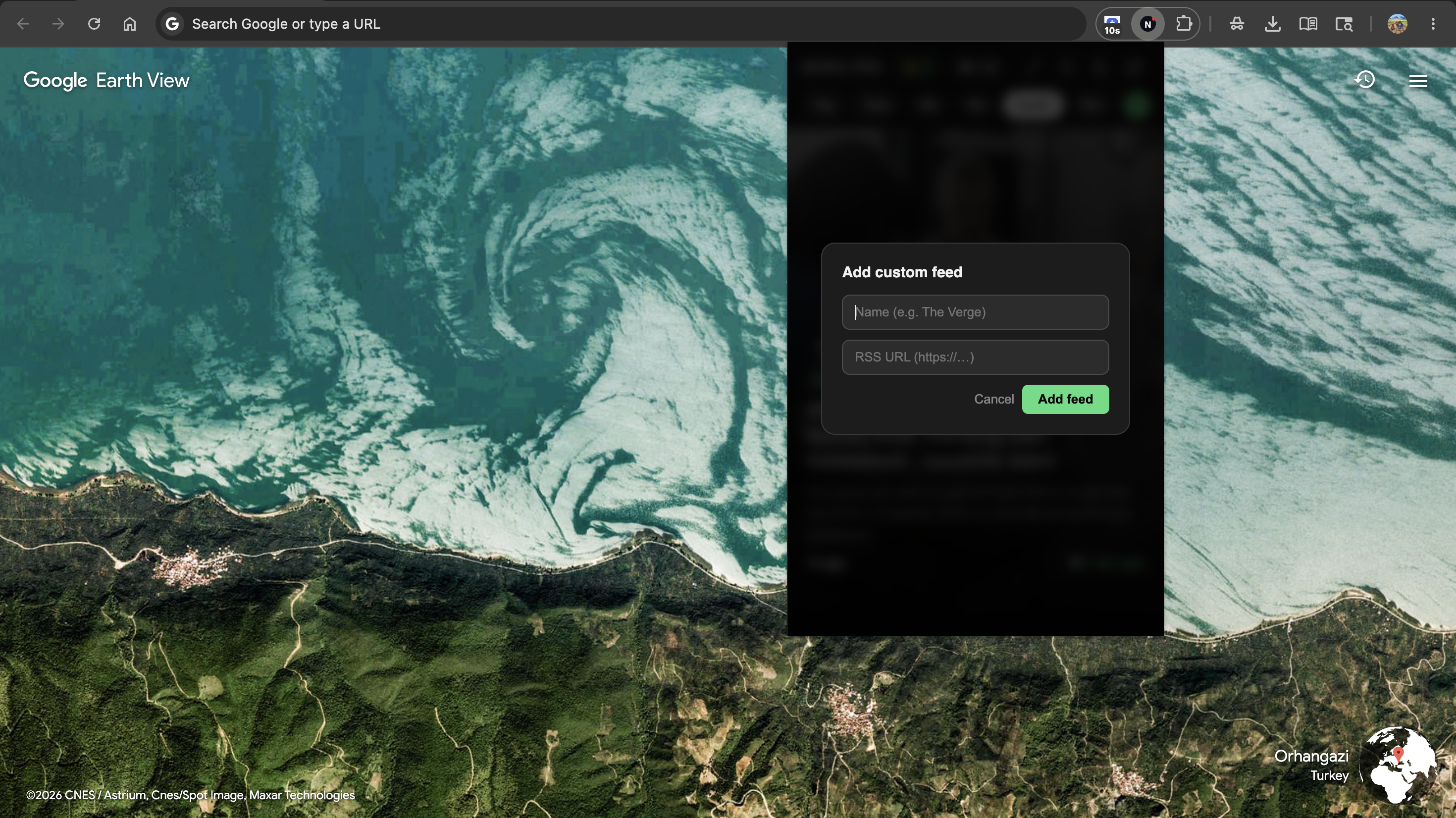
Add Custom Feed
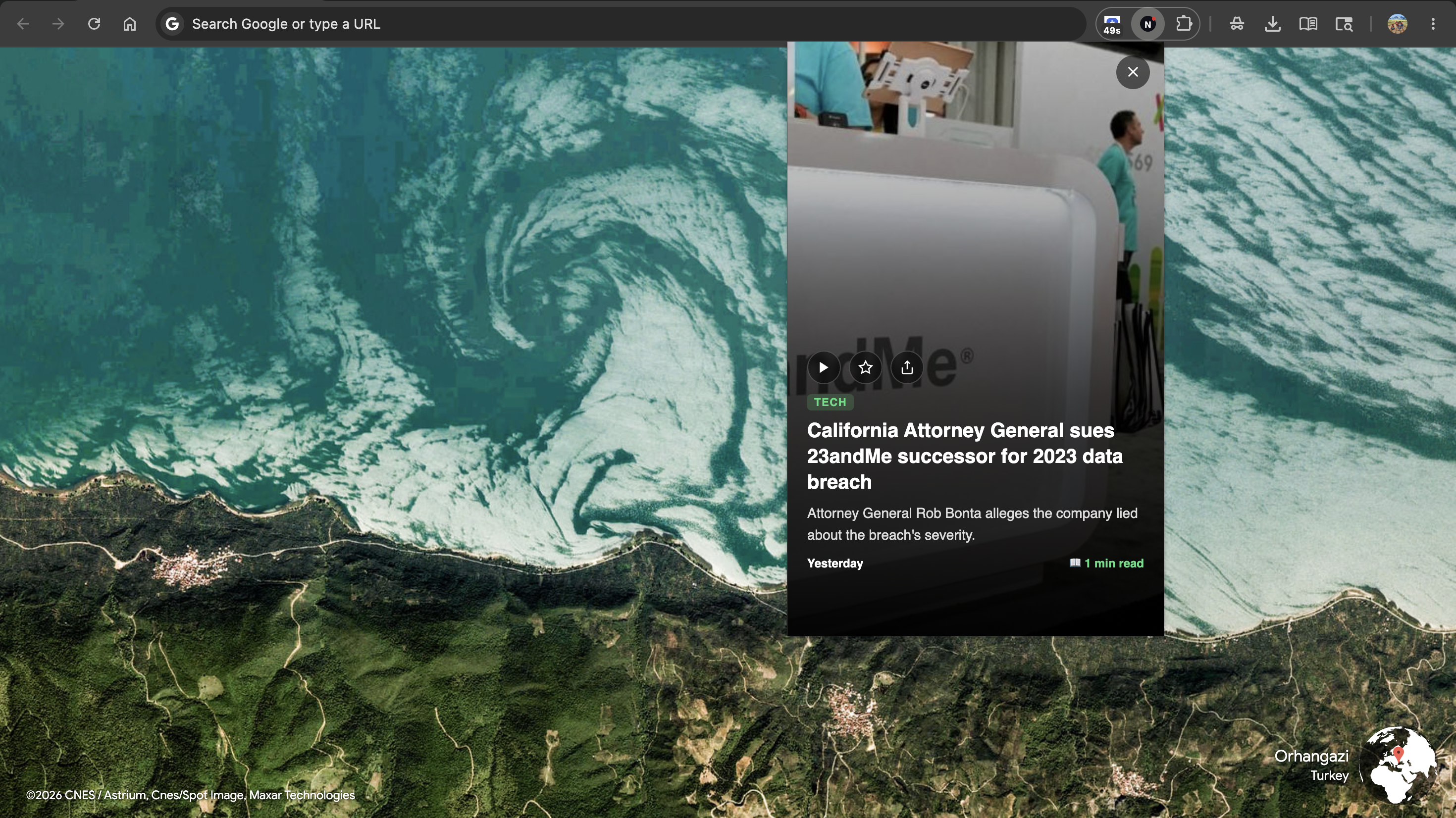
Article Card
Daily Briefing Card
Reader View · Dark
Reader View · Light
Saved Articles
Add Custom Feed
Article Card
Everything you need
Built for readers who mean it
7 Built-in Categories
Top, Technology, Business, Science, Health, Entertainment, and
Sports — all from live BBC RSS feeds. Switch instantly with one
tap. Your feeds update every 10 minutes silently in the
background.
Always fresh
Full Reader View
Tap any headline. Get the full article text, clean and
distraction-free, with a high-resolution image — right inside the
extension.
No ads, no clutter
Breaking News Alerts
NewsPro checks for new headlines every 15 minutes and sends a
desktop notification the moment something breaks. Tap to open the
article.
Background alerts
Custom RSS Feeds
Add any RSS feed from any news source. Your feeds appear as chips
and persist across sessions. Unlimited feeds supported.
Any source
Save Stories
Star any article to save it forever. Saved stories are stored
locally and available offline — always there when you need them.
Works offline
Morning Briefing
A daily 7 AM notification gives you the top story from News, Tech,
and Business — before you even open the browser.
Daily at 7 AM
Reading Streak
Track how many days in a row you've opened NewsPro. Keep your
streak going and build a daily reading habit.
Light & Dark Theme
One-click toggle between dark and light mode. Your preference is
saved automatically and remembered across sessions.
Read Aloud
Tap the play button on any story to have it read aloud using your
device's built-in text-to-speech. Hands-free news.
Reader View
Full articles. Inside Chrome.
No more bouncing between tabs. NewsPro fetches the full article
text directly from the source and displays it in a clean,
beautiful reader view — right inside the extension popup.
High-resolution og:image loaded automatically. Reading time
estimated. Light and dark theme supported.
Privacy first
Zero data collected. Seriously.
No Analytics
No tracking scripts, no telemetry, no crash reporting services.
None.
Local Storage Only
Everything stays in your browser. Saved articles, preferences,
streak — all local.
No Developer Server
There is no backend. No server receives any data from you. Ever.
Open Source
All code is readable. No obfuscation. You can verify every network
request made.
Power user
Full keyboard control
J / ↓
Next story
K / ↑
Previous story
Enter
Open reader view
S
Save / unsave story
F
Toggle focus mode
Esc
Close reader / exit focus
Your news. Your way.
Free.
Install NewsPro in seconds. No account. No subscription. No data
collected.
Works on Chrome 103+ · Manifest V3 · MIT License
CHROME EXTENSION
Privacy Policy
Last updated: May 2025 · NewsPro: Ultimate Reader
Short version
NewsPro does not collect, store, or transmit any
personal data to the developer or any analytics service. Everything
is stored locally in your browser. The only external connections are
to fetch news and weather — all initiated by you.
What is stored — and where
All data is stored in chrome.storage.local on your own
device. It never leaves your browser.
Data
Contents
Sent externally?
Saved articles
Title, summary, URL of starred articles
No
Seen links
URLs of articles you've opened (last 500)
No
Reading streak
Count + date of last open
No
Custom feeds
Names and RSS URLs you add
No — only the URL is fetched to load the feed
Theme preference
"light" or "dark"
No
Weather cache
Cached temperature string (refreshed every 30 min)
No
News cache
Latest articles per category (for offline use)
No
External connections
NewsPro contacts these services at runtime. No developer server is
involved.
Service
Purpose
Data sent
feeds.bbci.co.uk
BBC RSS news feeds
Standard HTTP request (no personal data)
ipapi.co / ipwho.is / ip-api.com
IP-based geolocation for weather
Your IP address (to determine approximate city)
api.open-meteo.com
Weather temperature and condition
Approximate coordinates from geolocation
Custom RSS URLs you add
Loading your custom feed
Standard HTTP request to the URL you entered
News article URLs (reader view)
Fetching full article text for in-extension reading
Standard HTTP request to the article URL
Weather & IP: Your IP is sent to a geolocation API
only to determine your approximate city for the weather display. No
account or GPS is used. The result is cached locally for 30 minutes.
Why each permission is needed
Permission
Reason
storage
Saves your feeds, saved articles, theme, and streak locally on
your device
alarms
Powers the 15-minute news check and 7 AM morning briefing
notifications
Displays breaking news alerts and morning briefing as desktop
notifications
host_permissions: *://*/*
Users can add any custom RSS feed — the domain is unknown at
install time. Also used to fetch article content from any news
site for the reader view.
What we do NOT do
Do not collect, transmit, or sell any personal data
Do not use analytics, telemetry, or crash reporting
Do not track which articles you read or how long you spend reading
Do not have a developer server that receives any data from you
Do not share data with advertisers or data brokers
Do not use cookies
Changes to this policy
If this policy changes, the updated version will be posted here with
a new date. Significant changes will be noted in the extension's
changelog.
Contact
Questions? Open an issue on the GitHub repository or contact via the
Chrome Web Store listing page.
HELP CENTER
Support
Everything you need to get the most out of NewsPro
Report a Bug
Found something broken? Open an issue on GitHub with steps to
reproduce and your Chrome version.
NewsPro allows you to add any custom RSS feed from any news
website. Since the domain of your custom feed is chosen by you at
runtime, the extension cannot know it in advance — so it needs
broad URL access to fetch it. This permission is also used to load
full article text in the reader view. No browsing data is ever
collected or transmitted.
How does the weather work? Does it use my location?
+
Weather uses IP-based approximate geolocation — no GPS, no
permission prompt, no account required. Your IP address is sent to
a third-party API (ipapi.co or fallbacks) which returns your
approximate city and coordinates. Those coordinates are then used
to fetch weather from open-meteo.com. The result is cached locally
for 30 minutes. This is disclosed in our privacy policy.
The feed isn't loading. What do I do?
+
1. Click the refresh icon in the header. 2. Check your internet
connection. 3. If the issue persists, try removing and re-adding
the extension. NewsPro caches the last successful feed locally, so
you'll see stale stories if offline — with a timestamp telling you
how old they are.
Why does the reader view sometimes show incomplete text?
+
Some news sites use paywalls or JavaScript-rendered content that
can't be fetched as plain HTML. In these cases, NewsPro shows a
"Preview only" notice and provides an "Open full article" button
that takes you to the site directly. This is a known limitation of
browser-extension reader views.
How do I add a custom RSS feed?
+
Click the green + button at the right end of the category chips.
Enter a name (e.g. "The Verge") and the RSS URL (e.g.
https://www.theverge.com/rss/index.xml). Click "Add feed" — your
feed will appear as a chip instantly and persist across sessions.
How do I reset my saved articles or streak?
+
NewsPro stores everything in chrome.storage.local. To reset: go to
chrome://extensions → find NewsPro → click "Details" → "Extension
storage" (or use Chrome DevTools on the popup). You can clear
individual keys or all storage from there.
Does NewsPro work offline?
+
Partially. NewsPro caches the last successful feed for each
category. If you go offline, you'll see the cached stories with a
message showing how old they are. Saved articles are always
available offline. The reader view and image fetching require an
internet connection.
Which Chrome versions are supported?
+
NewsPro requires Chrome 103 or newer (for AbortSignal.timeout
support). It uses Manifest V3, which is the current and future
standard for Chrome extensions. It has been tested on Chrome 120+.